Assigning devices to users
Use KACE Cloud to change device assignments as needed.
- Reassigning a company-owned device means all applied configurations (such as apps, Wi-Fi, VPN) are removed. All configurations set for auto-deployment to your company devices are then be deployed to the device. An administrator can also choose to clear the passcode from the device during the process.
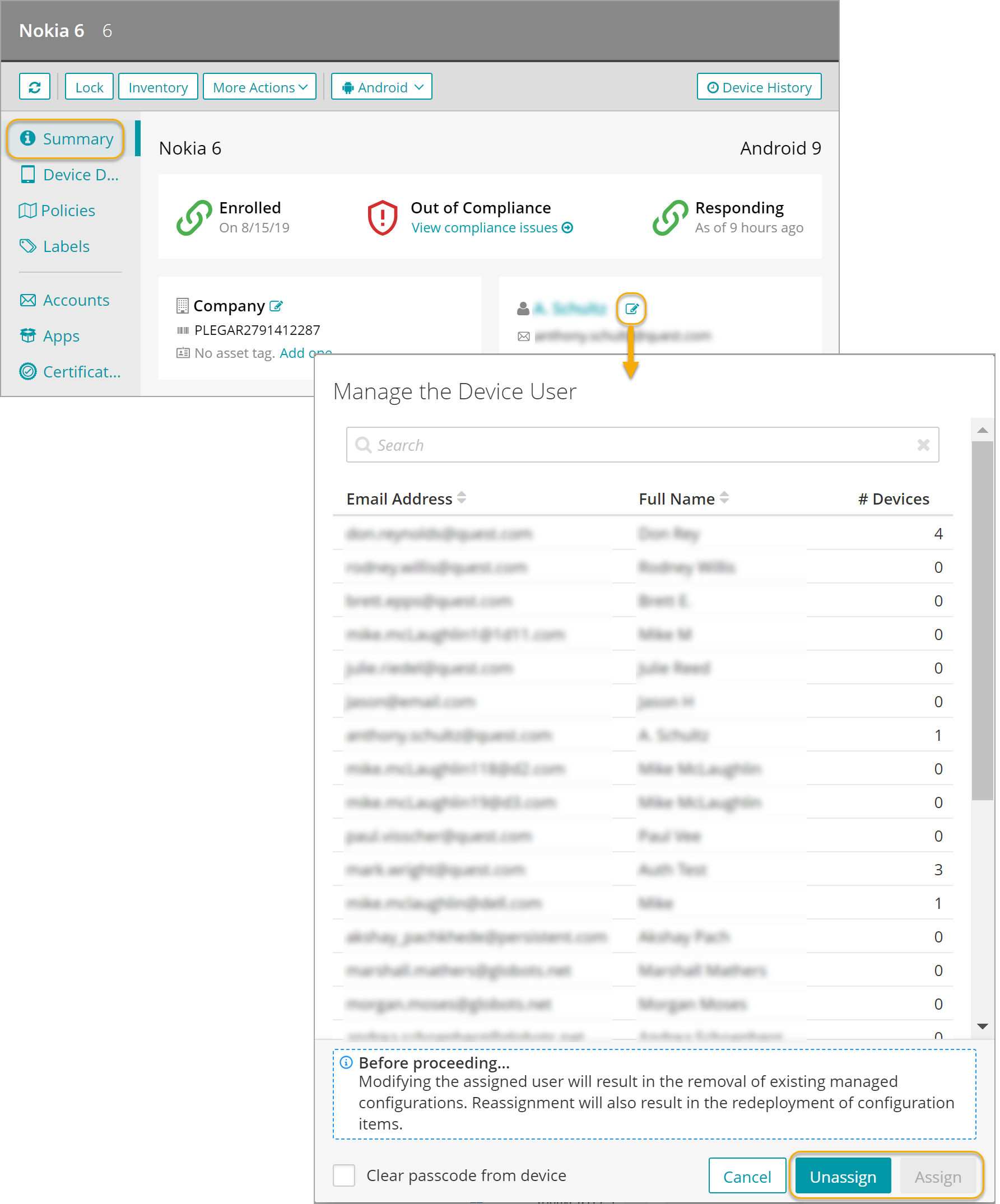
- To reassign a user, on the Devices tab, select a device, and on the Summary tab, in the tile showing the user name, click the edit icon. Then, in the Manage the Device User view that appears, select a new user and click Assign.
- Unassigning a user from a company-owned device means the current user is removed and no new user is assigned. When unassigning a company-owned device that is Android Fully Managed or iOS Supervised, all applied configurations (such as apps, Wi-Fi, VPN) are removed. An admininstrator can also choose to clear the passcode from the device during the process.
- To unassign a user, on the Devices tab, select a device, and on the Summary tab, in the tile showing the user name, click the edit icon. Then, in the Manage the Device User view that appears, select a new user and click Unassign.